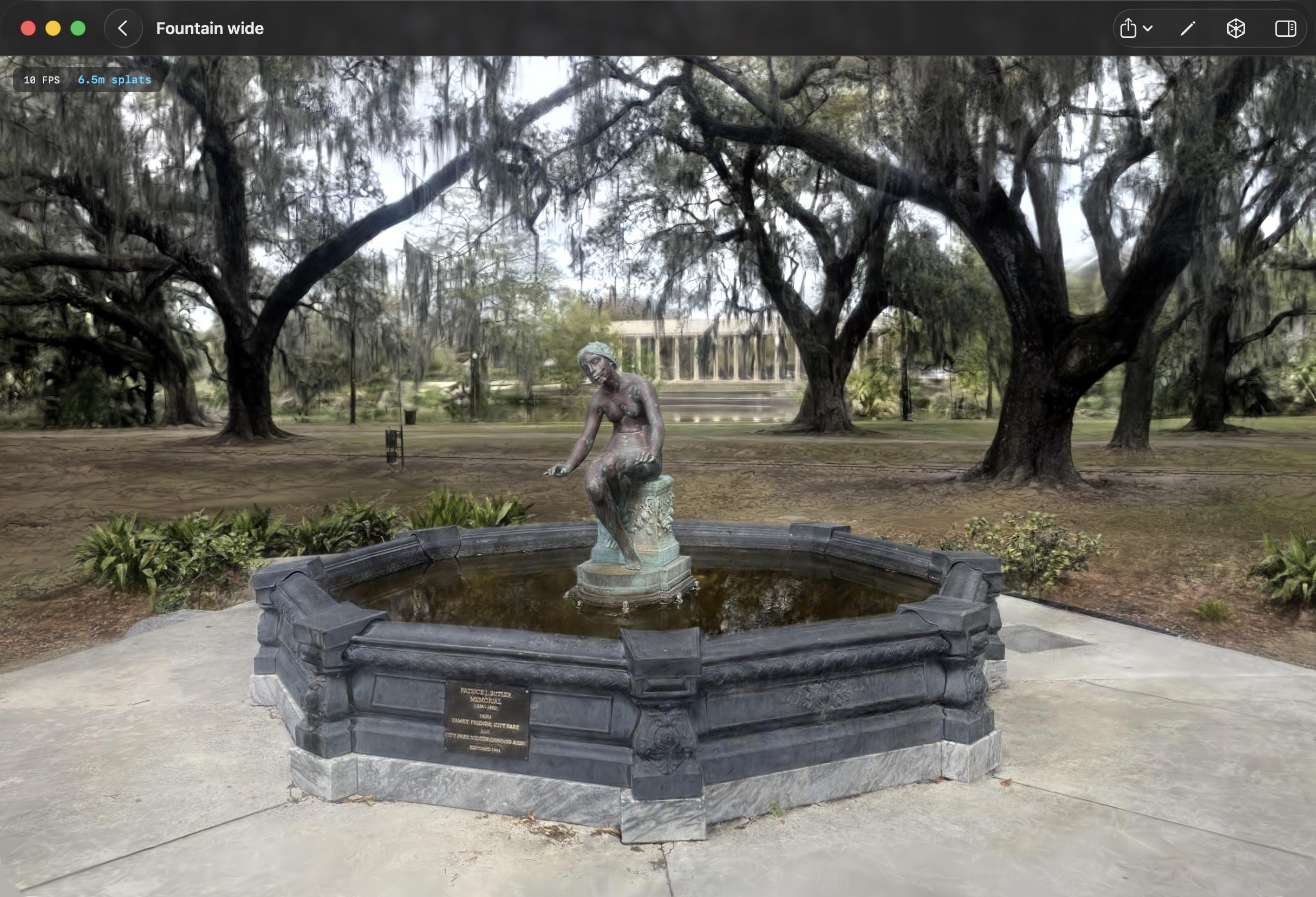
Gaussian Splat Training on Apple Silicon with Metal

Written by
Chris Laan
gaussian splatting, metal, apple silicon, cuda
September 30, 2026
TLDR: We brought Gaussian splat training from CUDA to Metal. 3D Splat App trains splats locally on any Apple Silicon Mac, and it's free.
3D Splat App for Mac
Almost all Gaussian splatting research code assumes an NVIDIA GPU. The original 3DGS implementation, and most of the faster trainers that followed it, are CUDA kernels driven from PyTorch. If you work on a Mac, your options have been to rent a cloud GPU, keep a Linux box under the desk, or use a slower cross-platform trainer.
We do most of our 3D capture work on Apple hardware, so we wanted the whole loop on one machine: drop in photos, get camera poses, train, look at the result, export. No uploads and no Python environment.
3D Splat App is the result. If you are new to the technique, we wrote a plain-language primer: What Is Gaussian Splatting?
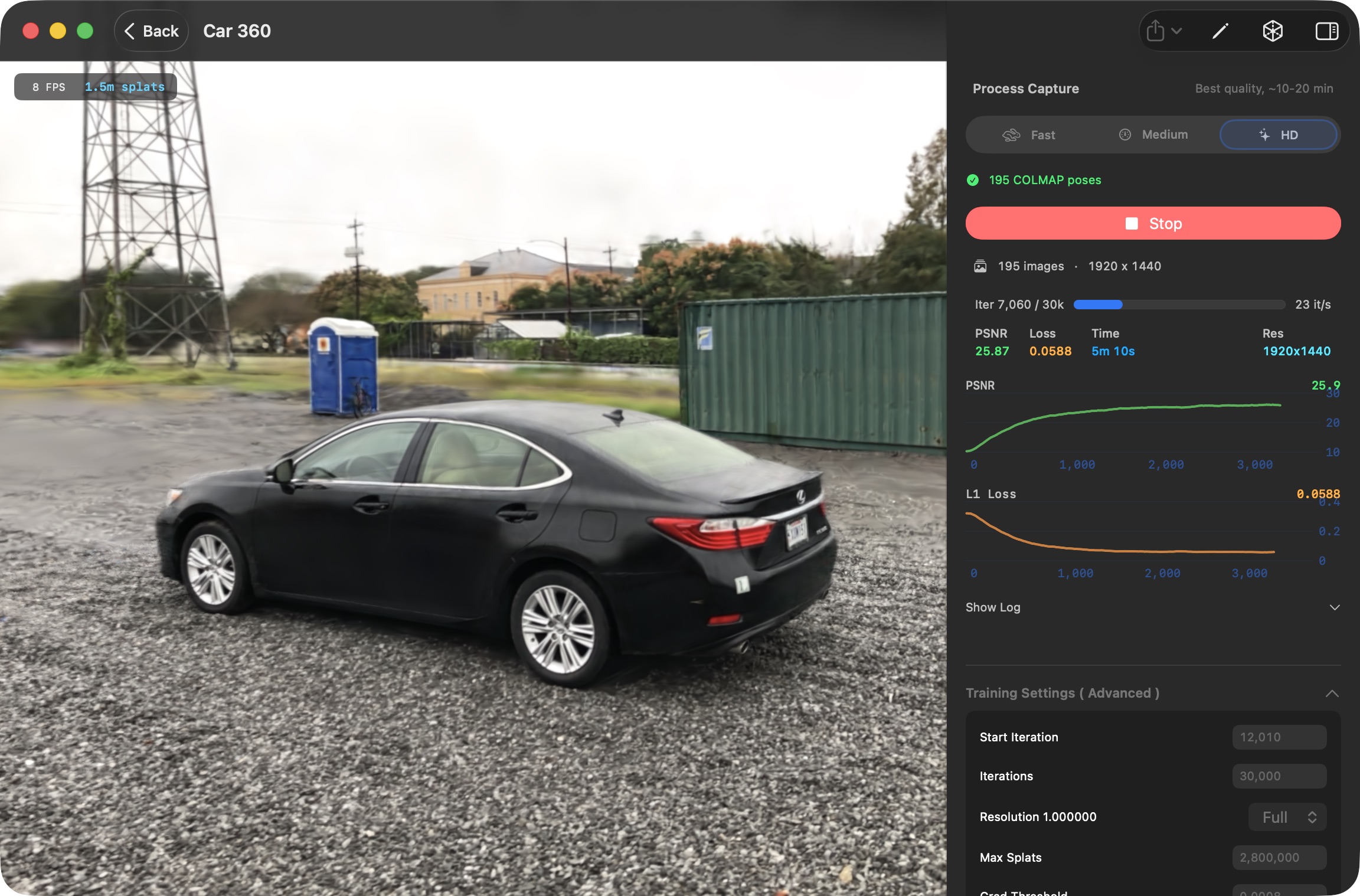
Training a 195 image capture on the HD preset, with live PSNR and loss
The 0.3 update shipped in mid-September and is the biggest release since launch. The short version: the app is no longer just a trainer. It is now a viewer and editor for splats too, whether or not you made them in the app.
What's new in 0.3: 360° import, edit tools and viewer updates
Splat edit tools. Open a trained splat and clean it up in place. Crop with a box, sphere or plane, keeping the inside or the outside. Paint over splats to select them and delete floaters, haze or whatever the camera caught that you do not want. Move, rotate and scale the whole scene with a transform gizmo so the ground is the ground and the model faces the right way. Undo is there, and when you are happy you save or export the result.
Viewer mode. You can now open PLY, SPZ and SOG files straight from the Finder, including splats trained elsewhere, and view, edit and re-export them. Multiple splats open in tabs, with a split view for comparing two side by side. Quick Look previews work for the supported formats, so a splat file shows up in the Finder the same way an image does.
Fly-through controls. W, A, S, D and Q, E move the camera in every splat view, with the arrow keys and shift for speed, in addition to the mouse and trackpad.
360° video import. Initial support for footage from 360° cameras. The app turns an equirectangular video into a set of pinhole views, so a walk-through with a 360° camera becomes a normal training set.
Faster everywhere. Training is faster. Structure from motion is faster, since COLMAP's feature detection and matching now run on the GPU. Loading a large splat went from seconds of waiting to nearly instant. And SOG export, which used to take minutes on big scenes, now takes seconds, with better quality.
Rendering and video. The viewer renders splats more accurately than before, and the camera-path video renderer gained a look panel with a backdrop fill, depth of field and color grading, plus a single field-of-view control for the whole clip.
It helps to be clear about what has to run on the GPU. Training a Gaussian splat is an optimization loop. Every step, the trainer renders the current set of gaussians from one of the training cameras, compares that render against the real photo, and pushes the gaussians' positions, shapes, opacities and colors in the direction that reduces the error. Every so often it also adds gaussians where detail is missing and removes ones that are not pulling their weight.
The rendering half is a tile-based rasterizer: gaussians are projected to the screen, sorted by depth, binned into small screen tiles, and alpha composited front to back within each tile. The training half runs that same process backwards, carrying per-pixel error back through the compositing order to every gaussian that touched the pixel, and then applies an optimizer update.
None of that is a standard graphics pipeline, and none of it is well served by a general-purpose machine learning framework. Fast trainers implement the whole thing as custom GPU compute kernels, and that is what makes the CUDA dependency so sticky.
We ported a modern CUDA splat trainer to Metal. The math is the same on both platforms; what differs is everything around it. CUDA has a decade of GPU primitives, libraries and conventions that splat trainers lean on, and Metal has almost none of them, so a large part of the work was rebuilding pieces that CUDA developers get for free and then tuning them for Apple's GPUs. The parts of the design that depend on how threads cooperate on the GPU happened to translate well, which is what made the project feasible at all.
The other half of the work was learning how Apple Silicon wants to be driven. A Mac GPU shares memory with the CPU, which removes a whole category of copies but also changes what the expensive operations are. The way you hand work to the GPU and wait for results is different enough from CUDA that the training loop had to be restructured rather than translated. And the lack of a VRAM ceiling means the practical limit on scene size is the Mac's unified memory, which on a well-specced laptop is more than most discrete GPUs offer.
Structure from motion needed the same treatment. COLMAP's GPU acceleration is also CUDA, so we built it for macOS and moved its feature extraction and matching onto Metal as well.
The result is a trainer written entirely in C++ and Metal, with no PyTorch and no autograd anywhere in the app. Swift only appears in the UI.
A port like this is easy to get subtly wrong, and a splat trainer will happily converge to a slightly worse result without telling you. So the engine is held to a strict standard: fixed scenes must render byte-identical images before and after any rasterizer change, and performance work must leave short training runs with identical metrics. Every optimization that went into the app had to pass that bar.
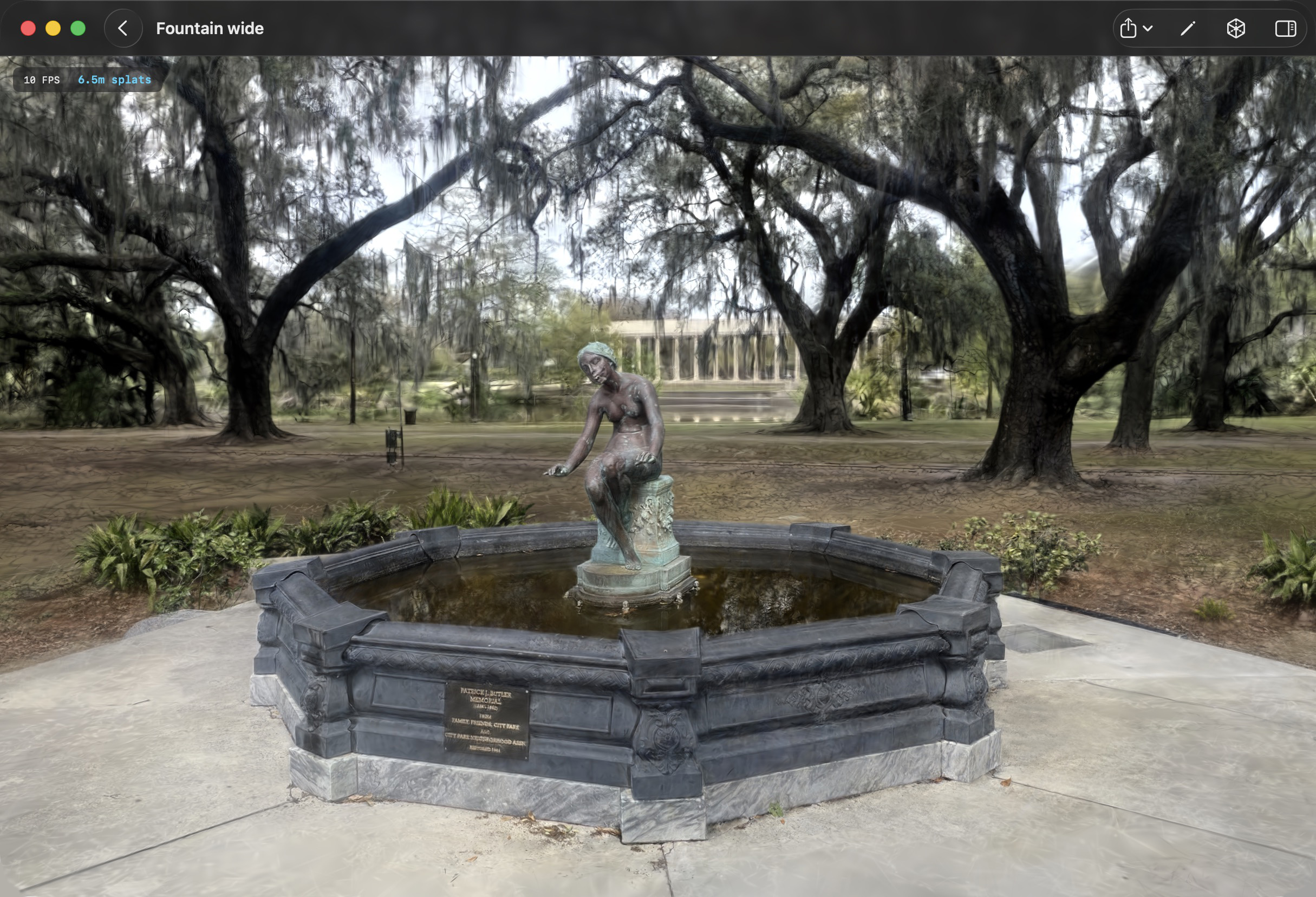
A 6.5 million splat scene in the viewer
If the sections above assumed too much, here is the short version of what Gaussian splatting is and why people are excited about it. The long version lives on the 3D Splat App site: What Is Gaussian Splatting?
Individual splats accumulating into a face. Each fuzzy blob is one Gaussian; together they form a photorealistic image.
Think about recreating a room out of Lego bricks: thousands of hard, opaque blocks snapped together until the shape roughly matches. Now do the same thing with millions of tiny translucent clouds of color instead. Each cloud is soft at the edges, has its own tint and transparency, and overlaps with its neighbors. From a distance they blend into something that looks almost indistinguishable from a photograph.
That is a Gaussian splat. The scene is not a surface made of polygons; it is a huge collection of small, fuzzy 3D blobs, each storing a position, a size and shape, an orientation, a color and an opacity. A finished scene might contain anywhere from a few hundred thousand to several million of them. The "Gaussian" in the name is the bell curve from statistics, which describes how each blob fades from its dense center to its soft edge. "Splatting" is how they are drawn: each 3D blob is projected flat onto the screen, like a snowball hitting a window, and all the overlapping splats blend together into the final image.
It is three-dimensional, in that you can orbit it, fly through it and view it from any angle, but it is not a traditional 3D model. There are no polygons, no UV maps and no texture files. It is closer to a very dense, very smart point cloud that knows how to look photorealistic from any viewpoint. And although training uses optimization techniques adjacent to machine learning, it is not generating or hallucinating anything. Every splat corresponds to real visual information from the input photos.
The whole process asks one question over and over: if we render this scene from the same camera angles as the original photos, does it look like the photos?
Meshes describe surfaces. Splats describe appearance. A polygon mesh has clean geometry, defined edges and textures wrapped around it, and every triangle can be moved, smoothed or deleted. A splat has none of that structure, which is exactly why it can capture things a mesh struggles with: reflections, glass, foliage, hair, thin wires, and the general mess of the real world.
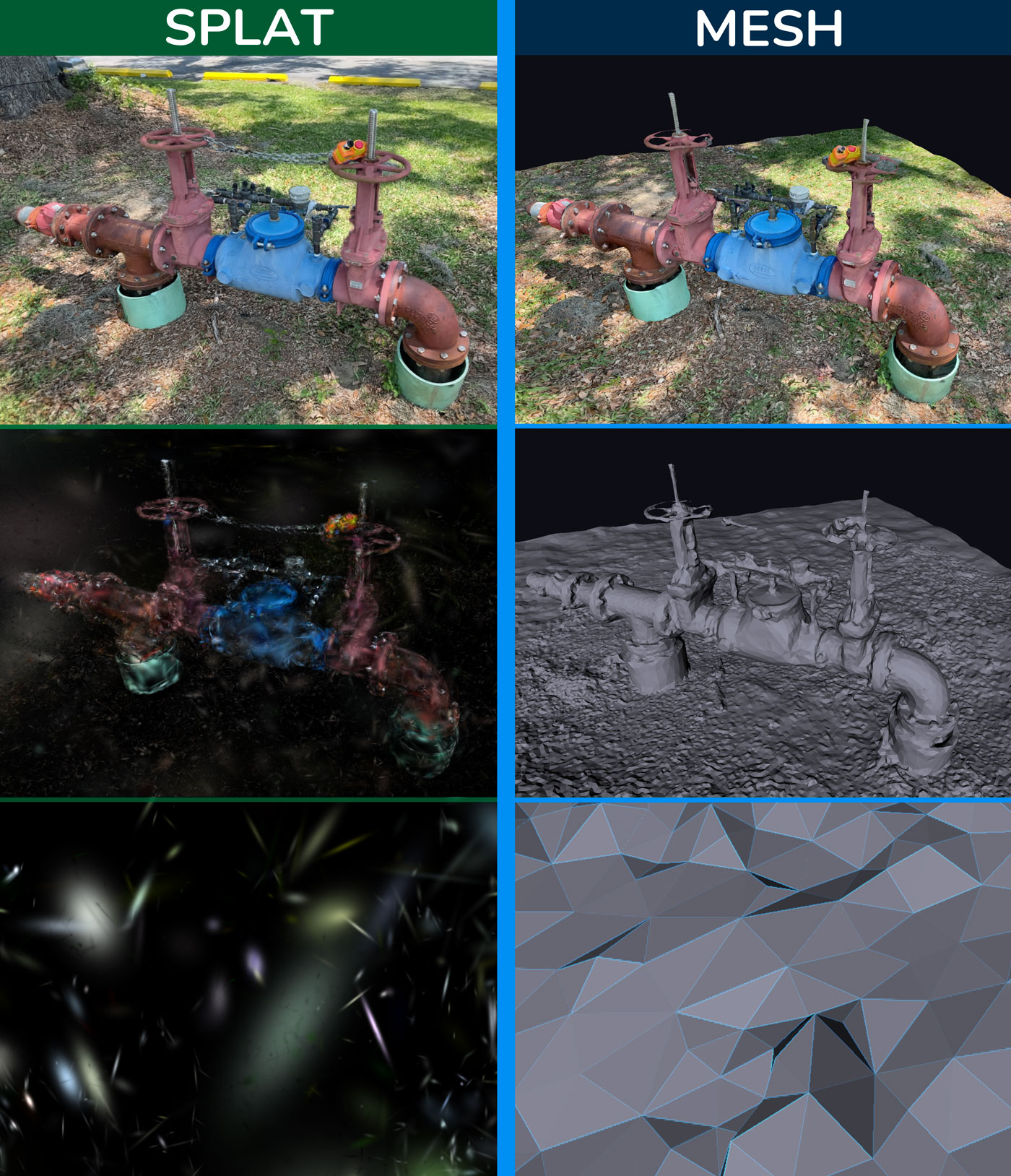
The same subject as a Gaussian splat (left) and a polygon mesh (right), zooming in from the full scene to the individual primitives
A useful rule of thumb: meshes are for things you want to manipulate, splats are for places you want to visit. If the goal is to edit, animate, simulate or 3D print, you still want a mesh. If the goal is to capture how something looks and let people explore it, splats are hard to beat.
Before 2023, photorealistic 3D from photos meant choosing between two imperfect options. Photogrammetry produced editable meshes but struggled with shiny surfaces, thin structures and fine detail. Neural radiance fields (NeRFs) rendered beautiful novel views but took hours to train and seconds per frame to display. Gaussian splatting matched the visual quality of the best NeRFs while rendering hundreds of times faster, fast enough to be interactive on consumer hardware. That combination is what made people sit up.
Real-time rendering is what turns a research result into something usable: web viewers anyone can drag around, VR and AR built from captured environments, creative tools where artists compose with captured scenes like they would with video clips. And the capture side is ordinary. The camera you already own, shooting the way you already shoot.
Move slowly to avoid motion blur. Overlap generously, so every part of the subject shows up in several frames from slightly different angles. For objects, orbit at a few different heights, including from above. Outdoors, shoot quickly and on an overcast day if you can, since wind, moving clouds and passers-by all work against you. And keep the subject in frame; the trainer can only reconstruct what the camera actually saw.
3D Splat App is free on the Mac App Store. It needs an M1 or later and macOS 15.6 or later.
Get the markdown source for offline reading