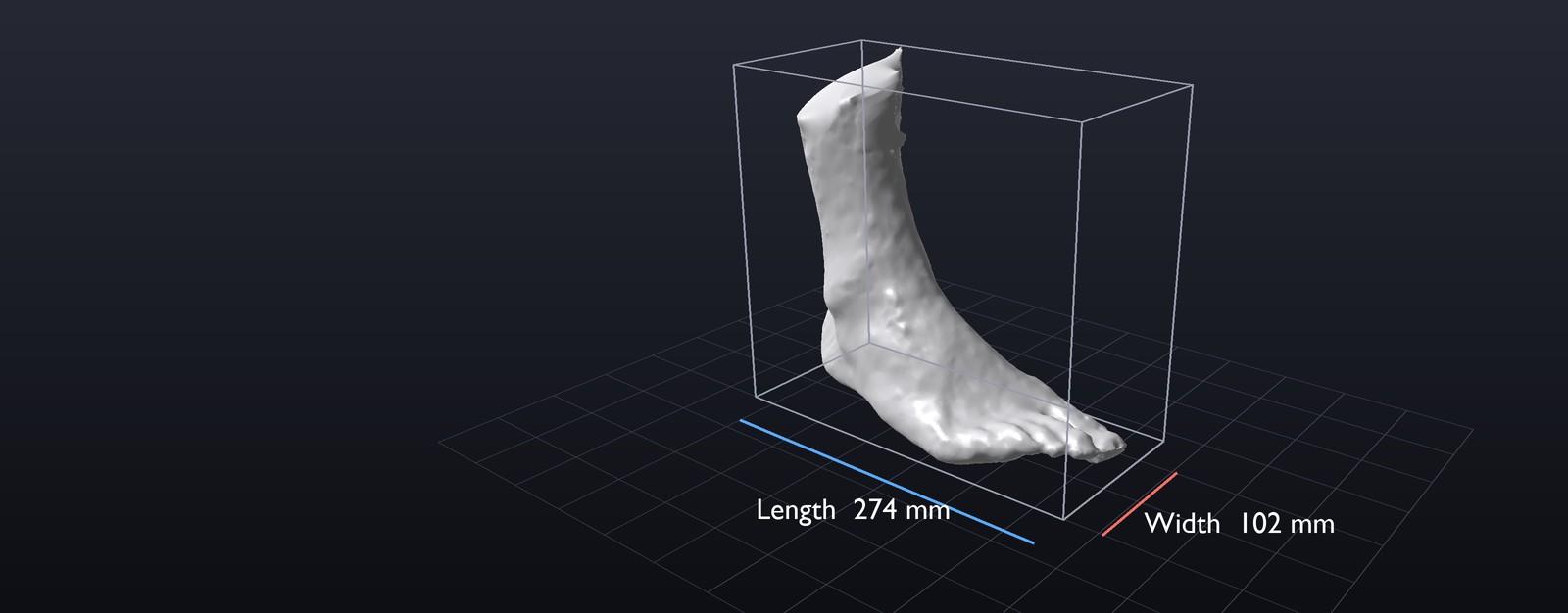
Scanning Feet and Other Body Parts with an iPhone - Knees, Arms, Hands and Torsos
Products made to fit a person start with that person's shape. This is how Laan Labs captures it with an iPhone: feet and foam impressions, knees, arms and hands, and the torso for clothing.

Business Challenge
Insoles and orthotics, braces and supports, made-to-measure footwear and clothing all start with the shape of a person. That shape has traditionally been taken with a plaster cast, a foam impression box, a tape measure or a dedicated scanner in a clinic. Each is slow, hard to repeat, and needs the customer to be somewhere in particular.
A phone changes that. The TrueDepth sensor on the front of an iPhone captures depth at close range, the cameras capture detail and color, and a scan can be made in a shop, in a clinic or at home.
Laan Labs has built body scanning for companies in footwear, orthotics, bracing and clothing. This case study walks through the process, from capture to a model a product can be made from, starting with the foot and then covering knees, arms, hands and the torso. It leaves out the details of any one client, and the models shown are our own scans.
A foot, a knee, an arm or a torso becomes a 3D model on the phone that scanned it
The Process, Starting with a Foot
| Step | What happens |
|---|---|
| 1. Capture | The phone records depth and color while it moves around the foot, or from a few fixed positions |
| 2. Reconstruct | The frames are aligned and fused into one surface, on the device |
| 3. Close | Areas the camera could not see are filled, giving a watertight mesh |
| 4. Measure | Length, width and other dimensions are taken on the model |
| 5. Export | The model is saved as OBJ or STL for design, 3D printing or milling |
1. Capture
The simplest capture is a second person walking the phone around a foot that stays still. Every side is seen, the foot does not move, and the result is the most complete scan. It is how a fitter in a shop or a clinician would work.
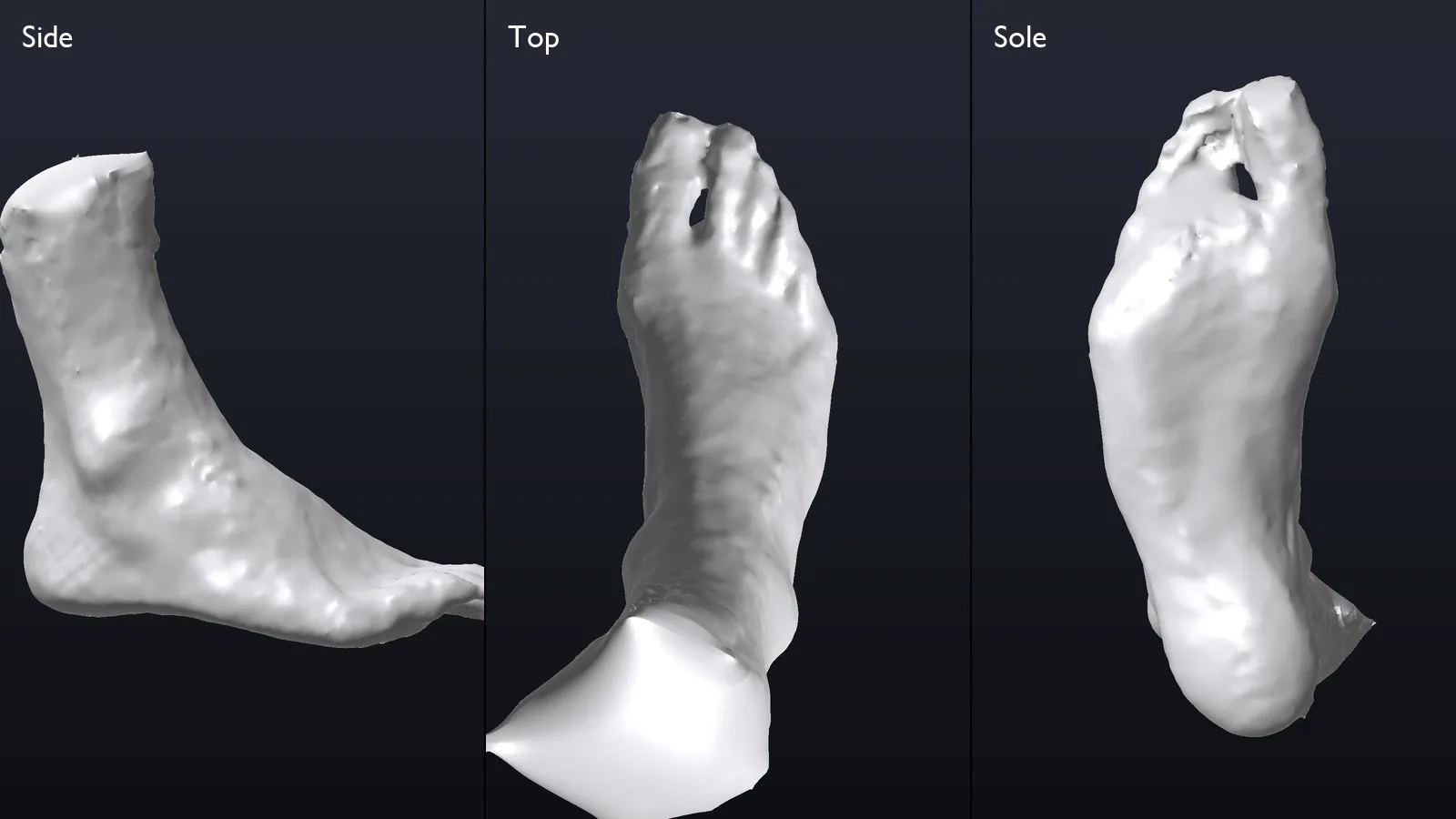
One scan, seen from the side, from above and from below
2. Reconstruct
Each depth frame is a partial view. The software tracks the phone's position, aligns the frames to each other and fuses them into a single surface. Color from the camera is projected onto that surface, so the model can be checked against the real foot, while the geometry underneath is what a product is made from.
All of this runs on the phone. A scan of a person's body does not have to be uploaded anywhere to be processed.
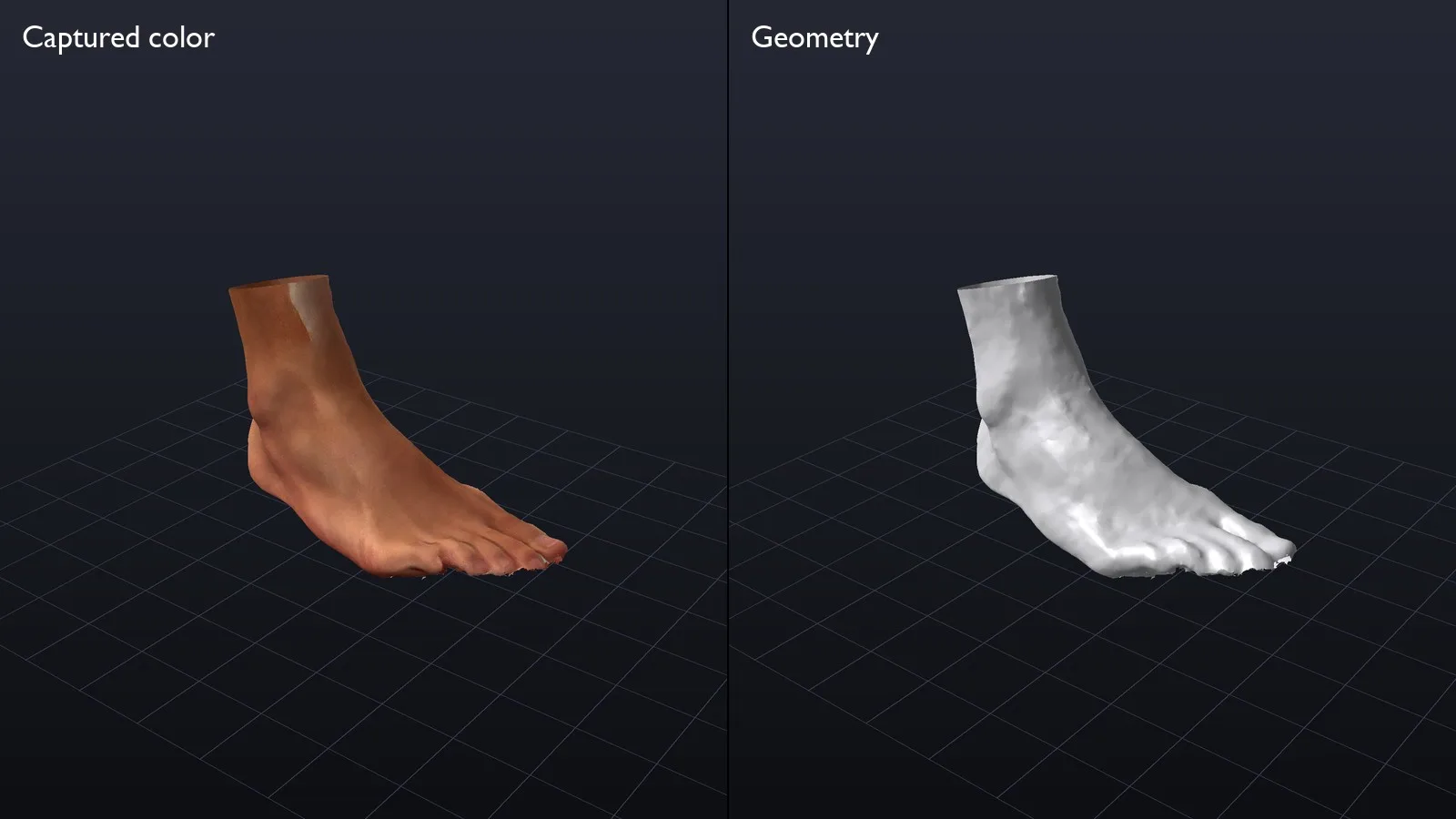
The captured color, and the geometry underneath it
3. Close
A design tool, a 3D printer and a milling machine all expect a closed, watertight shape. The top of the ankle, the gaps between toes and anything the camera did not reach are filled, and the surface is rebuilt as one clean mesh. Laan Labs uses Poisson reconstruction or signed distance fields for this, depending on how complete the capture is.
4. Measure
Once the model is level and oriented heel to toe, dimensions are taken on it directly: length and width for sizing, and arch height, instep and girths where the product needs them.
5. Export
The model is exported as OBJ or STL at true scale and in a consistent orientation, ready for an insole or last to be designed around it.
Scanning Your Own Foot
A customer at home is usually alone, and cannot walk a phone around their own foot. Laan Labs developed a capture for one person: the phone takes a short burst of frames from each of four positions around the foot, and the views are merged into one model.
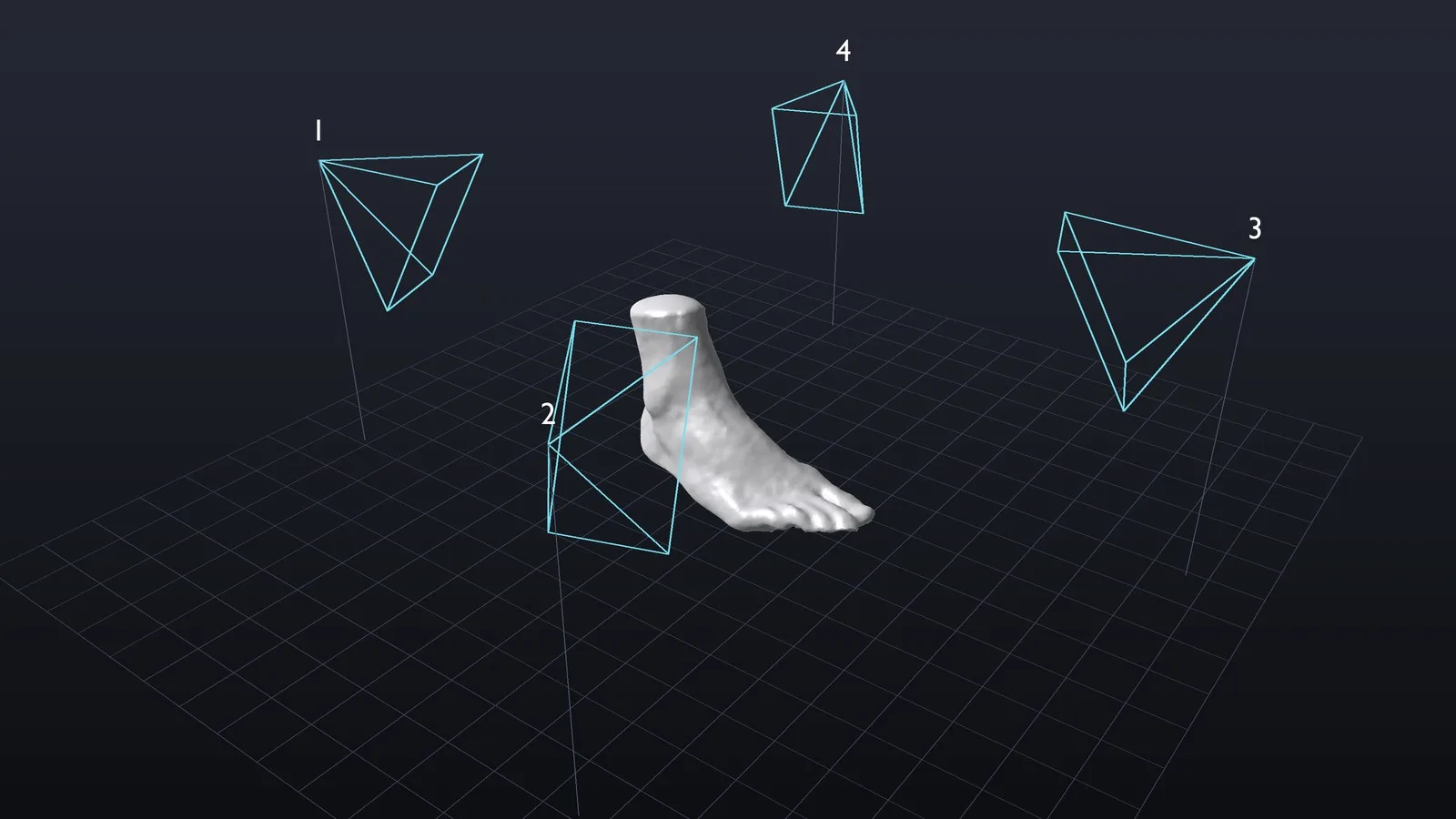
Four positions around the foot, a few frames from each, merged into one closed model
Fewer viewpoints leave more for the software to do. The four sets of frames have to be aligned without continuous tracking between them, and larger unseen areas have to be filled. The model above came from this method.
A second approach captures the top of the foot and the sole in two passes and joins them. It gives the best view of the sole, with one complication: a foot standing on the floor is shaped by the weight on it, so the two halves do not match exactly and have to be reconciled when they are joined.
Scanning a Foam Impression
Many businesses already work with foam impression kits. The customer presses a foot into a block of foam and posts it back, and the impression is the record of the foot. Scanning that impression turns it into a 3D file without anyone pouring plaster.
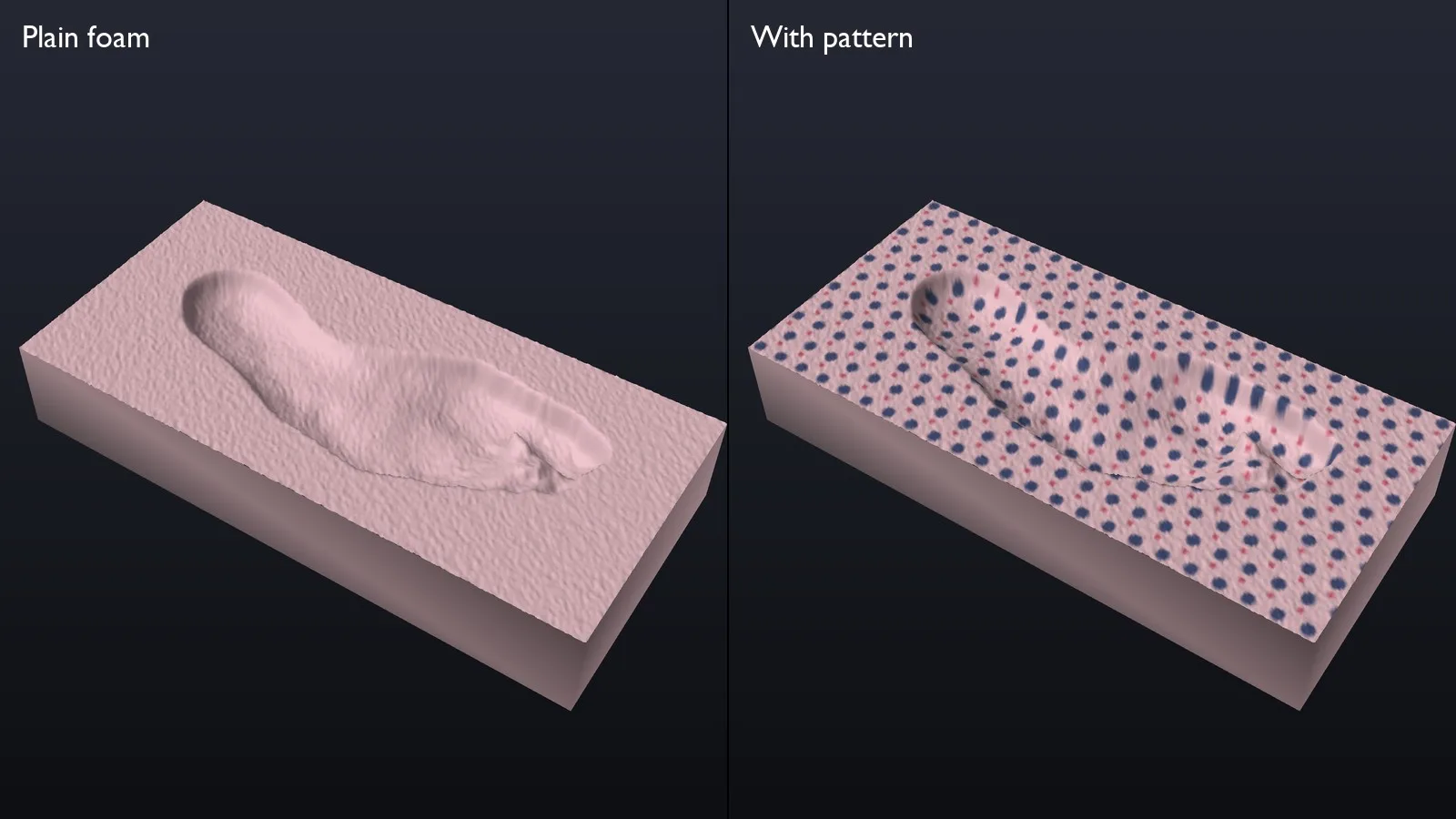
Illustration: a foam impression, plain and with a pattern
Foam is a harder subject than a foot. It is one color, has no visible texture, and the surface of interest is a hollow. Reconstruction depends on finding the same points in many frames, and plain foam offers very few. Laan Labs compared two ways of capturing it:
| Photo capture | Real-time capture | |
|---|---|---|
| How it works | High-resolution photographs, reconstructed after the capture | Depth and video fused while the user scans |
| Strength | The most detailed result | Live feedback: the user sees the scan grow and what is missing |
| On plain foam | Works well in good light | Struggles, especially in low light |
Two things make an impression scan reliable:
- Good, even light. With photo capture in good light, plain foam scans well.
- A pattern. Putting a visible pattern on the foam gives the software features to hold on to. It improves every method, and it makes real-time capture practical where it otherwise is not.
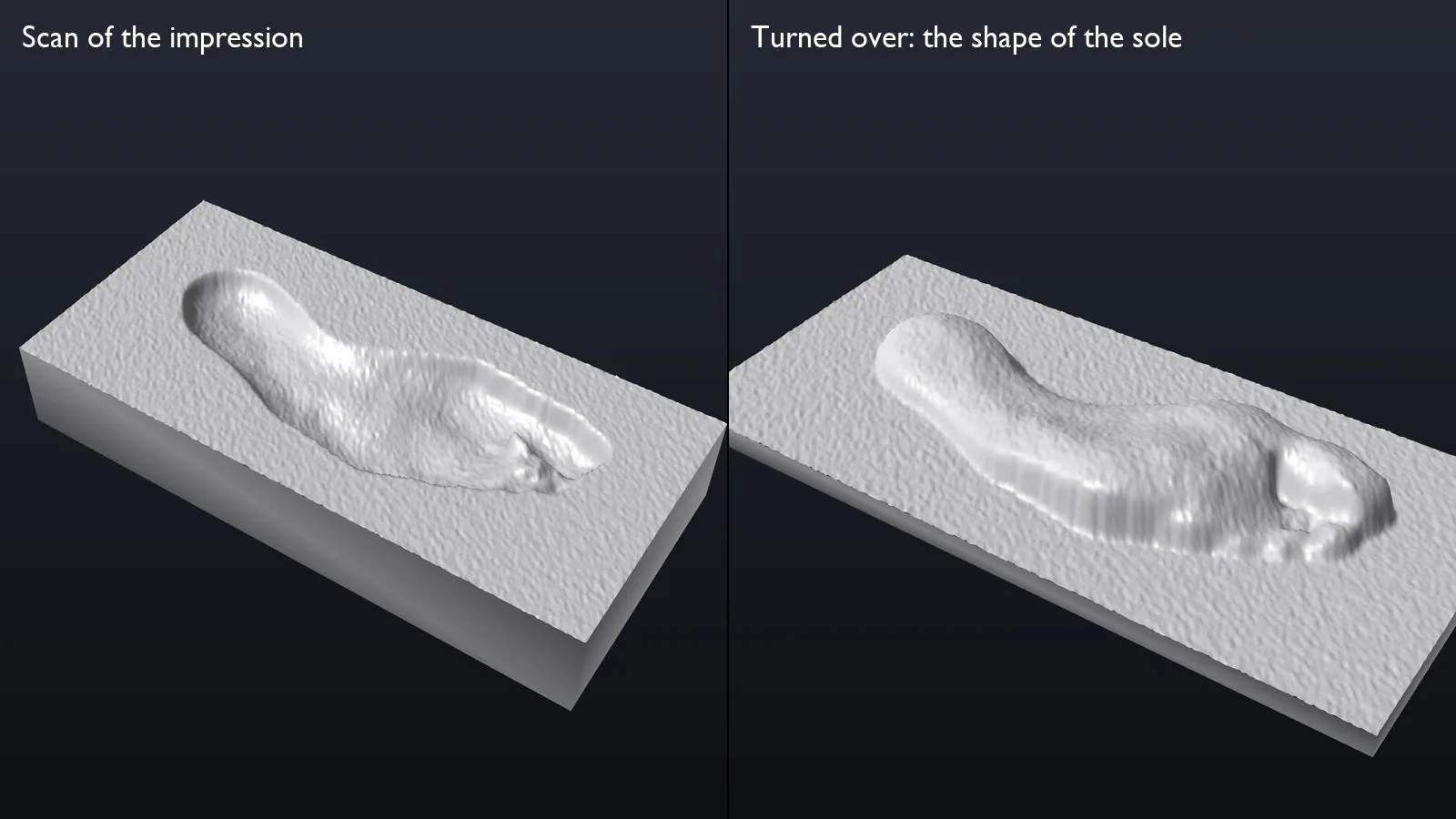
Illustration: the scanned impression, and the same surface turned over to give the shape of the sole
An impression is a negative. Turning the scanned surface over gives the positive: the shape of the sole as it pressed into the foam, which is what an insole is designed against.
Knees, Arms and Hands
The same pipeline scans other parts of the body. A knee for a brace, a forearm for a cast or a splint, a hand for a glove or a support: each is a close-range subject that the TrueDepth sensor resolves well.
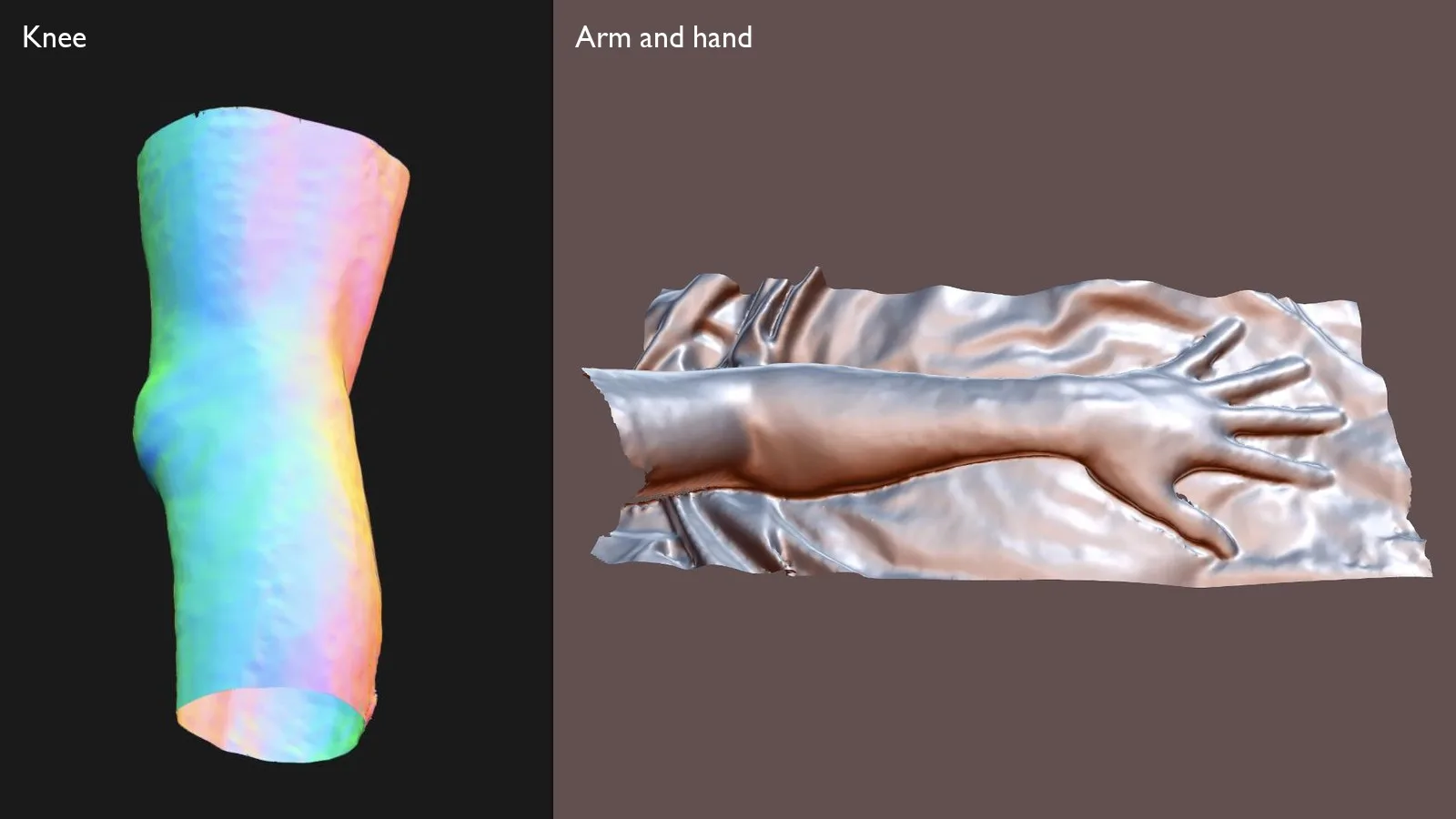
A knee and an arm, each scanned by the person themselves with an iPhone
You can turn these models around yourself: knee, arm and hand and foot.
Technique matters more than the device. What makes a limb scan work:
- Stay close, but not too close. The sensor returns nothing closer than about 20 cm, and its detail falls away with distance. Holding the phone 21 to 24 cm from the skin is the range to aim for.
- Move slowly and steadily. The subject stays in frame for the whole scan.
- Give the scan a background. A limb on its own is a smooth, nearly featureless tube. Resting it on a surface with shape of its own, such as a folded towel, gives the reconstruction something to lock on to.
- Add texture where you can. Bare skin has little. A patterned sleeve or a marked surface helps in the same way a pattern helps on foam.
Scanning yourself is the hard case. The sensor and the screen are on the same side of the phone, so when the phone goes behind a knee the person can no longer see what it is capturing. Laan Labs has worked through several ways of making that easier:
- A live preview of the reconstruction, so the user sees the model form and which areas are still missing.
- A mirror attachment that turns the sensor around so the screen stays in view. It makes the preview more intuitive, at the price of an accessory the customer has to own.
- Snapshots from set positions in place of a continuous sweep, as with the foot.
- Two half scans combined, for a hand: one from each side, joined into a whole.
- Photographs and depth together, so that views the depth sensor cannot reach comfortably are covered by the camera.
Body Scanning for Clothing
For garments the subject is the torso, and the method turns around: the phone stays still and the person moves.
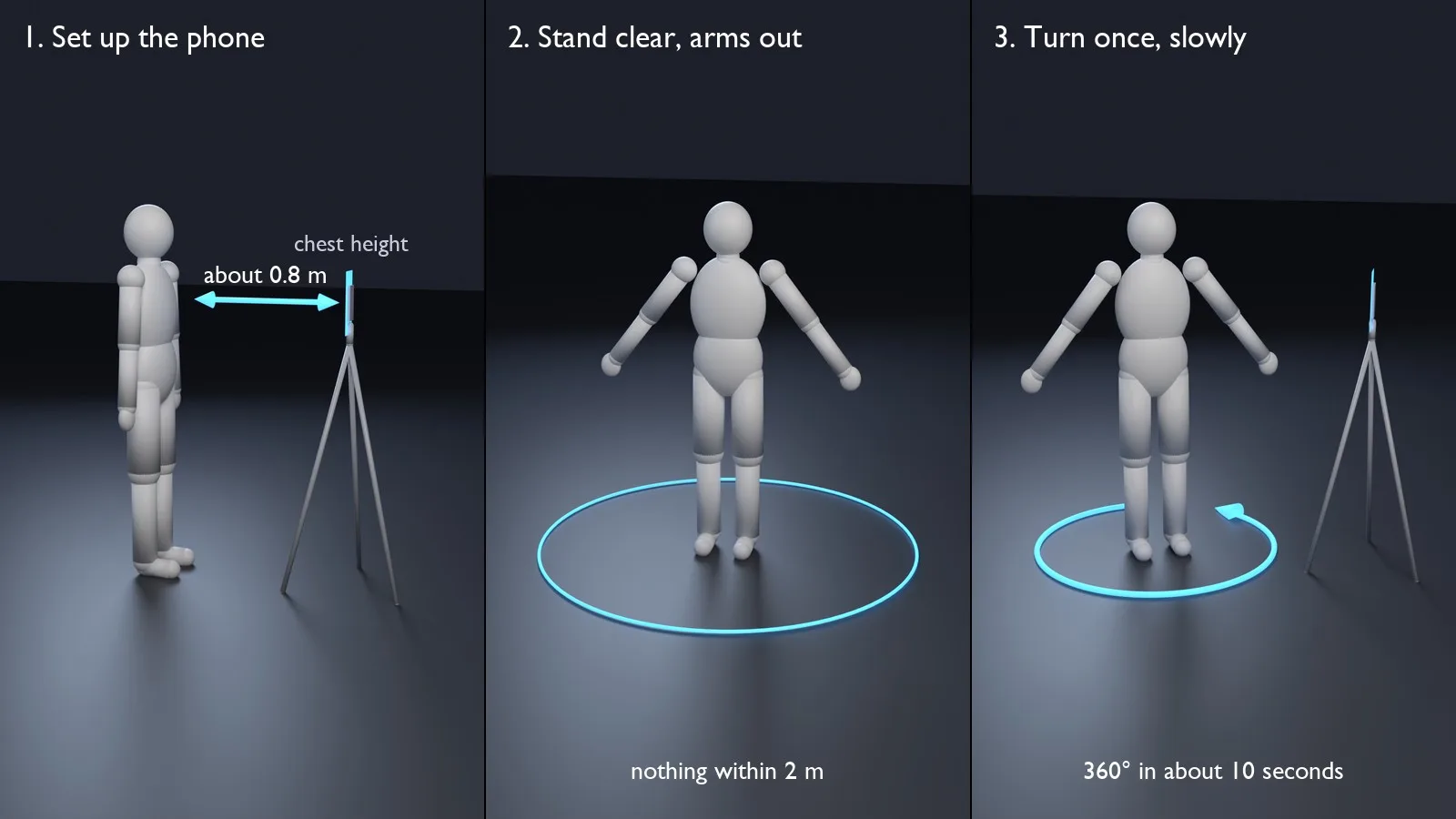
Illustration: the phone stays still and the person turns
- Set up the phone. It stands at chest height on a tripod or a shelf, upright and facing the person, about 0.8 m away. The best distance varies with the phone model. It must not move during the scan.
- Stand clear. Nothing else should be within about 2 m, and the arms are held away from the body so the sides of the torso are visible.
- Turn once. The app counts down aloud, since the person cannot be watching the screen. They turn through a full circle in about ten seconds, staying inside the outline shown on screen, and the recording stops by itself.
- Review and process. A preview shows whether the body stayed in view for the whole turn. Reconstruction then takes a couple of minutes on the phone.
- Export. The model is shared in the format the pattern-making or sizing system needs.
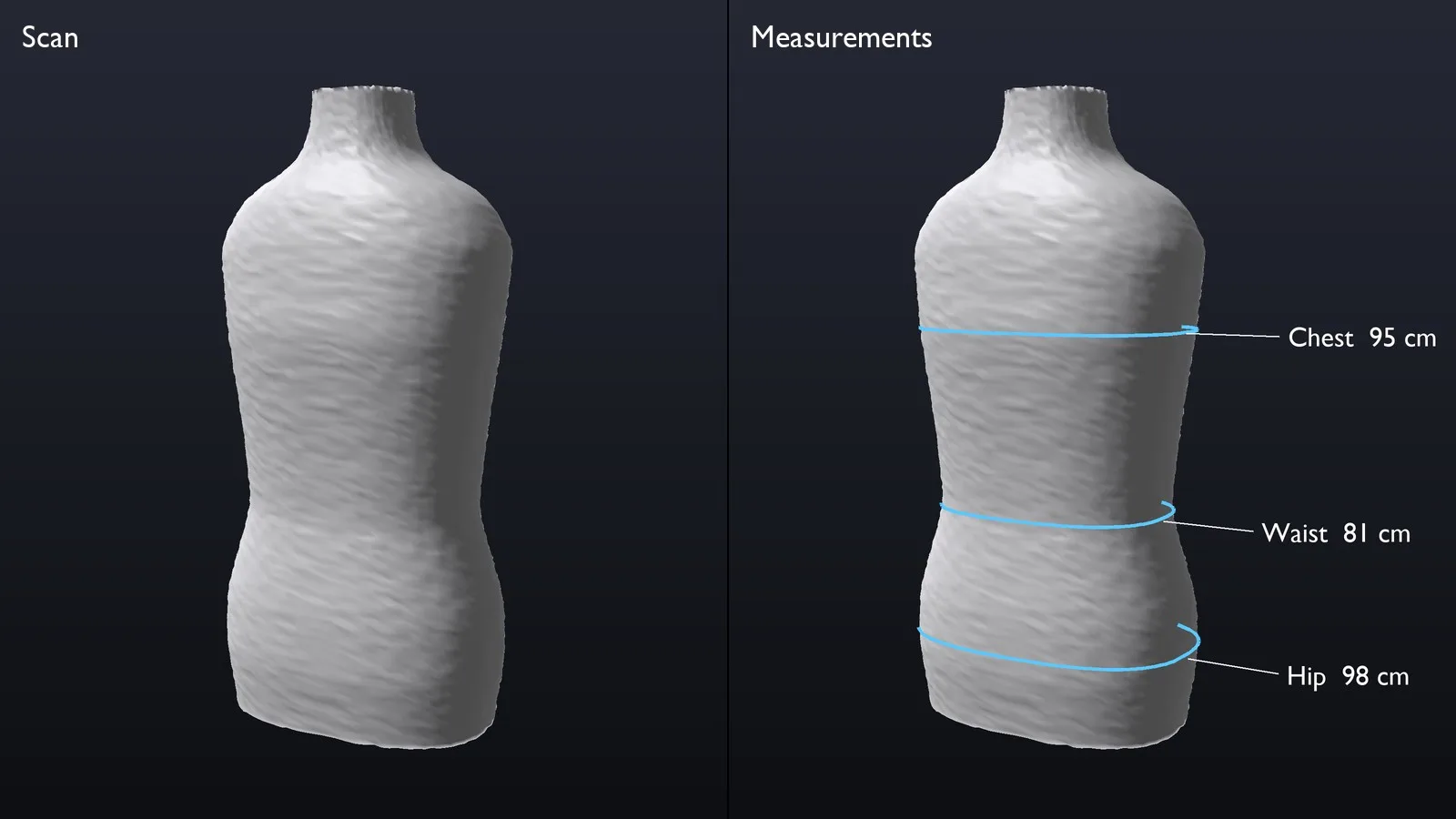
Illustration: a torso scan and the girths taken from it
The torso is what a garment is cut to, and it is what this method captures best. Arms and the face move during the turn and do not reconstruct as well, so the measurements that matter, chest, waist and hip girths and the lengths between them, are taken from the torso.
Try the Sample App
Laan Labs publishes a sample app, Foot Scan 3D, on the App Store. It scans a foot with the iPhone TrueDepth sensor, takes measurements such as length, width and arch height, and exports the model in common 3D formats. Processing happens on the device and no sign-up is needed, so you can test the capture on your own phone before talking to us.
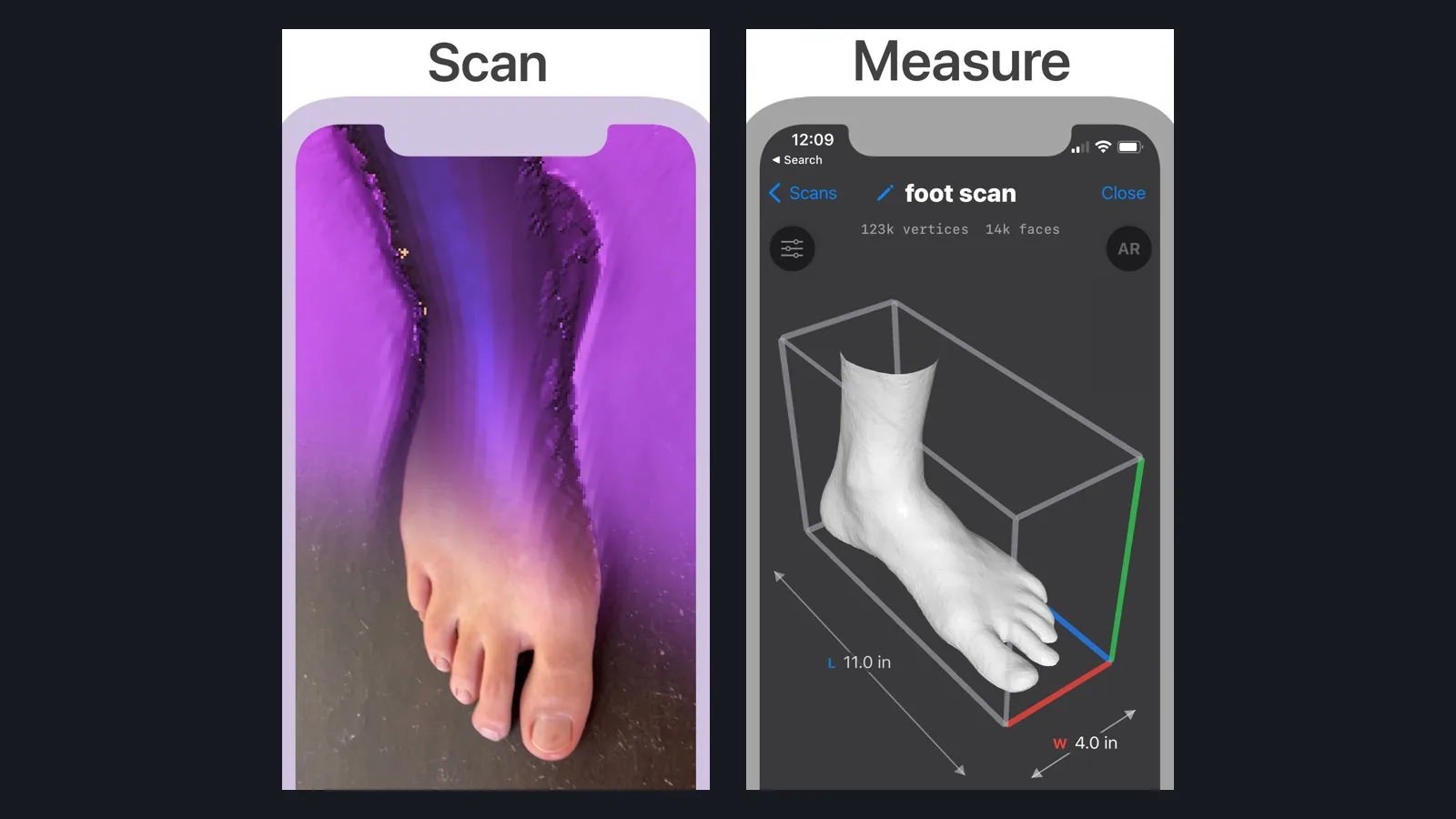
Foot Scan 3D: scanning, then measuring the model
Business Value
- No dedicated scanner. The customer's or the fitter's own phone is the instrument.
- Scan anywhere. In a shop, in a clinic, or at home by one person.
- One pipeline, many products. Feet, knees, arms, hands and torsos use the same capture and reconstruction.
- Works with existing kits. Foam impressions already in use can feed a digital workflow.
- Straight to manufacturing. A closed, measured model in OBJ or STL, ready for design, printing or milling.
- Private by design. Reconstruction on the device, with nothing uploaded that does not need to be.
How precise a scan needs to be depends on the product, so Laan Labs validates each project against the client's own reference method. The technology can be licensed and built into an existing app, or delivered as a complete app under the client's brand. See how Laan Labs works with medical, orthopedics and body scanning and 3D capture and technology licensing.
Technologies Utilized
TrueDepth, ARKit, Photogrammetry, 3D Reconstruction, Poisson reconstruction, Signed distance fields, OBJ and STL export
Download this article
Get the markdown source for offline reading